
Amplemarket Duo Copilot eliminates the need for manual account research, turning live buying signals into fully-drafted multichannel sequences. No more daily prompts to write or tabs to dig through. Set up an AI agent once and it delivers qualified people to your queue every 24 hours. Here’s a full walk-through of the 4 step setup, how the daily review loop works and how this fits into a modern GTM stack.
The Issue with Modern Outbound
Sales is a human process. Sales is built on trust and trust is the foundation of B2B sales. If you have 10 meetings to book today, spraying and praying across thousands of cold contacts will only burn your domain reputation. Buyers expect you to know who they are and why you are contacting them at this time. In my GTM and marketing automation work, I see sales teams lose hours trying to make the leap between intent data and execution every day. A rep sees a prospect talking about a pain point on LinkedIn, checks the CRM to see if the account is owned, looks up verified contact data, and writes a custom email from scratch. That takes 15 minutes to do one time. You can’t do that at scale for a full book of business without help.
Building a Signal-Tracking Agent in Duo Copilot
Amplemarket is an all-in-one sales platform with in-built AI agents. Duo Copilot, powered by Duo Intelligence, does the heavy lifting of research and drafting for your reps. When you access the agent library to build an agent, you are presented with 24 pre-built templates in eight categories. You can track LinkedIn engagement, CRM closed-lost reactivation, competitor G2 reviews, recent job changes, Slack community messages and company funding or hiring activity. If you run a technical GTM stack like I do, there's even a "Build your own" section which includes a Custom API webhook agent and a Custom CRM agent.
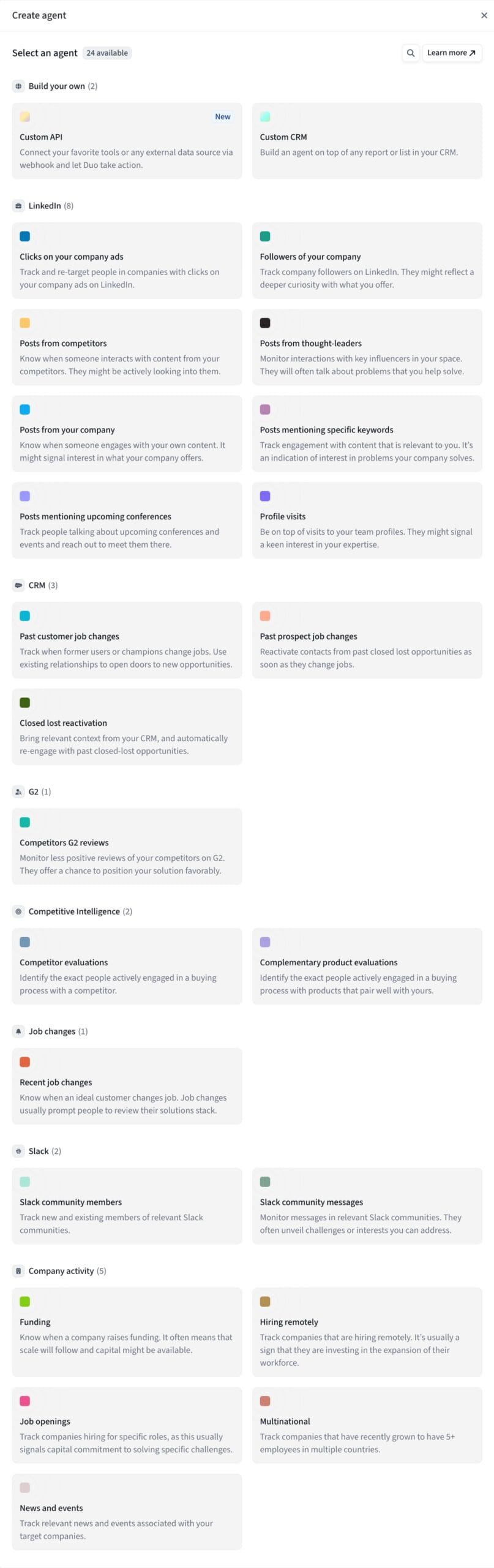
This is the exact four step workflow to build an agent that captures high intent social conversations.
Step 1: What is your buy signal
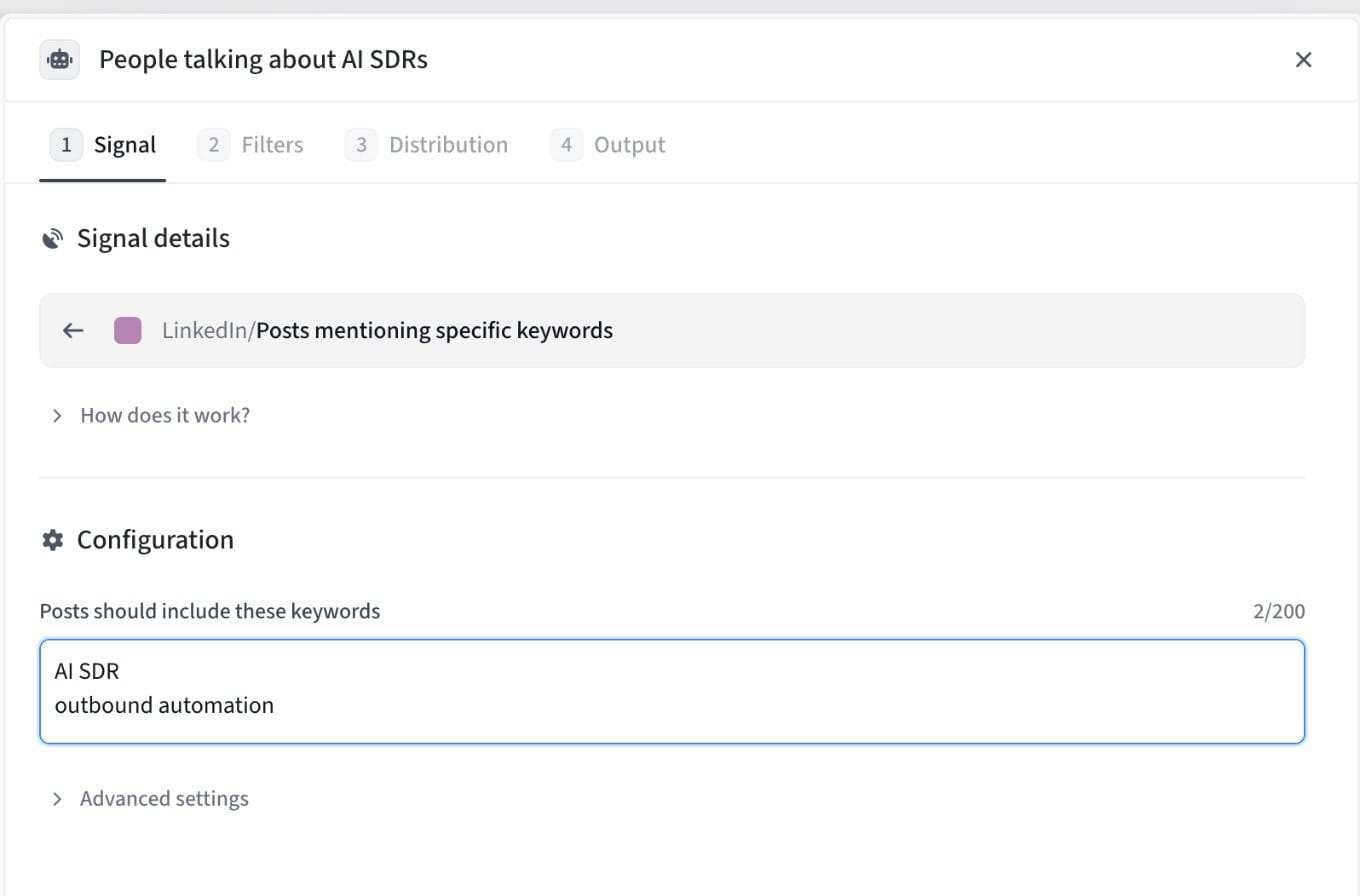
We are building an agent for this workflow called “People talking about AI SDRs”. Then in signal details, we choose the trigger for LinkedIn posts that include specific keywords. In the configuration box you can enter up to 200 keywords. We had the agent looking for posts that mentioned AI SDR and outbound automation. When anyone posts or interacts with content around those topics, the agent flags the person, not just the company account.
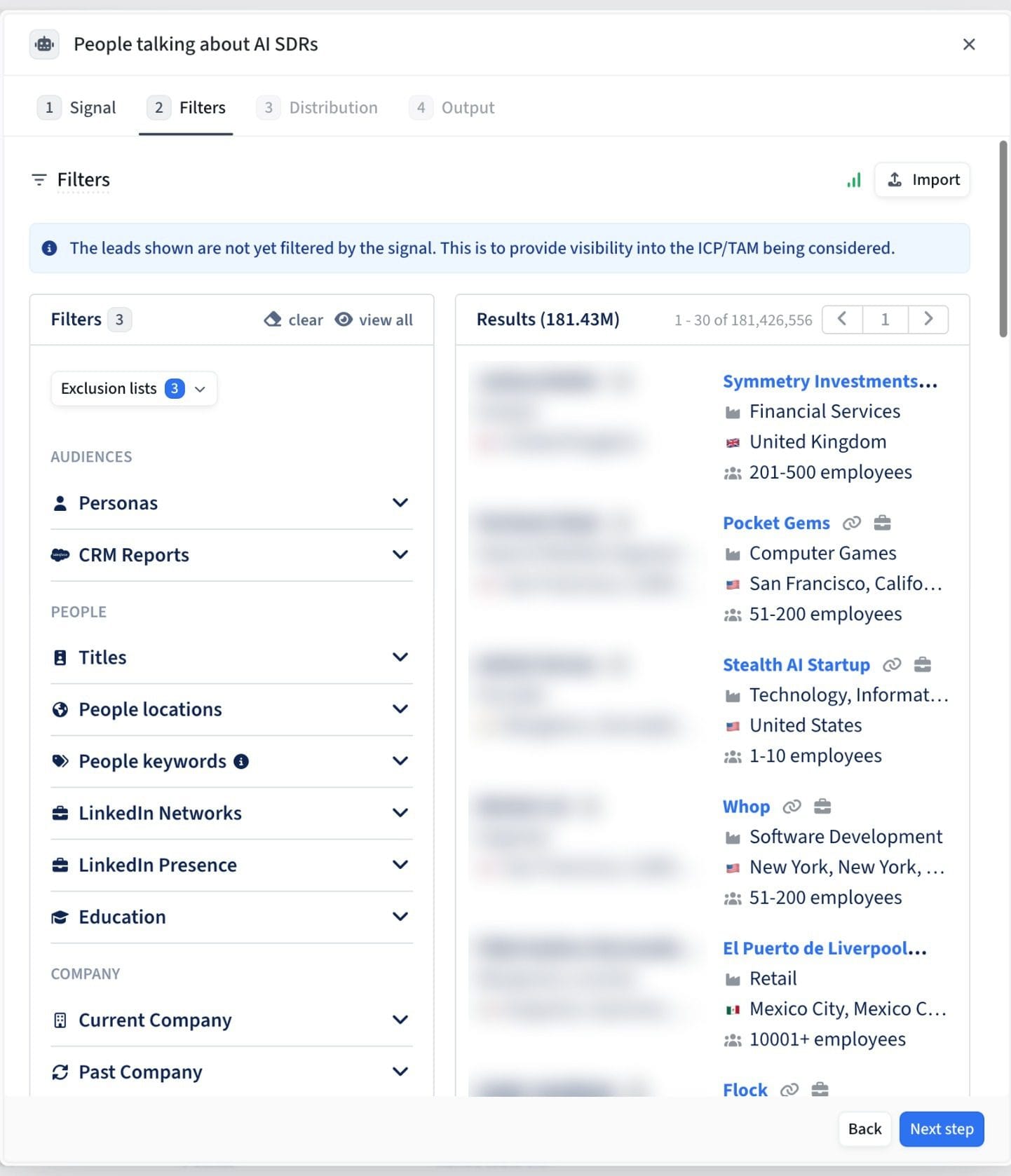
Step 2: Stack Your ICP Filters and Exclusion Lists
You want to capture a signal only if the person fits your ideal customer profile. In the Filters tab, Amplemarket provides visibility into your total addressable market before the signal narrows down the list, drawing from a database of over 181 million contacts. You can filter by saved Personas, CRM Reports, job titles, locations, LinkedIn presence, and company size. More importantly, you can place exclusion lists right at the top. In this setup, there are three exclusion lists and three core filters active, so reps don't accidentally message current clients or active pipeline opportunities.
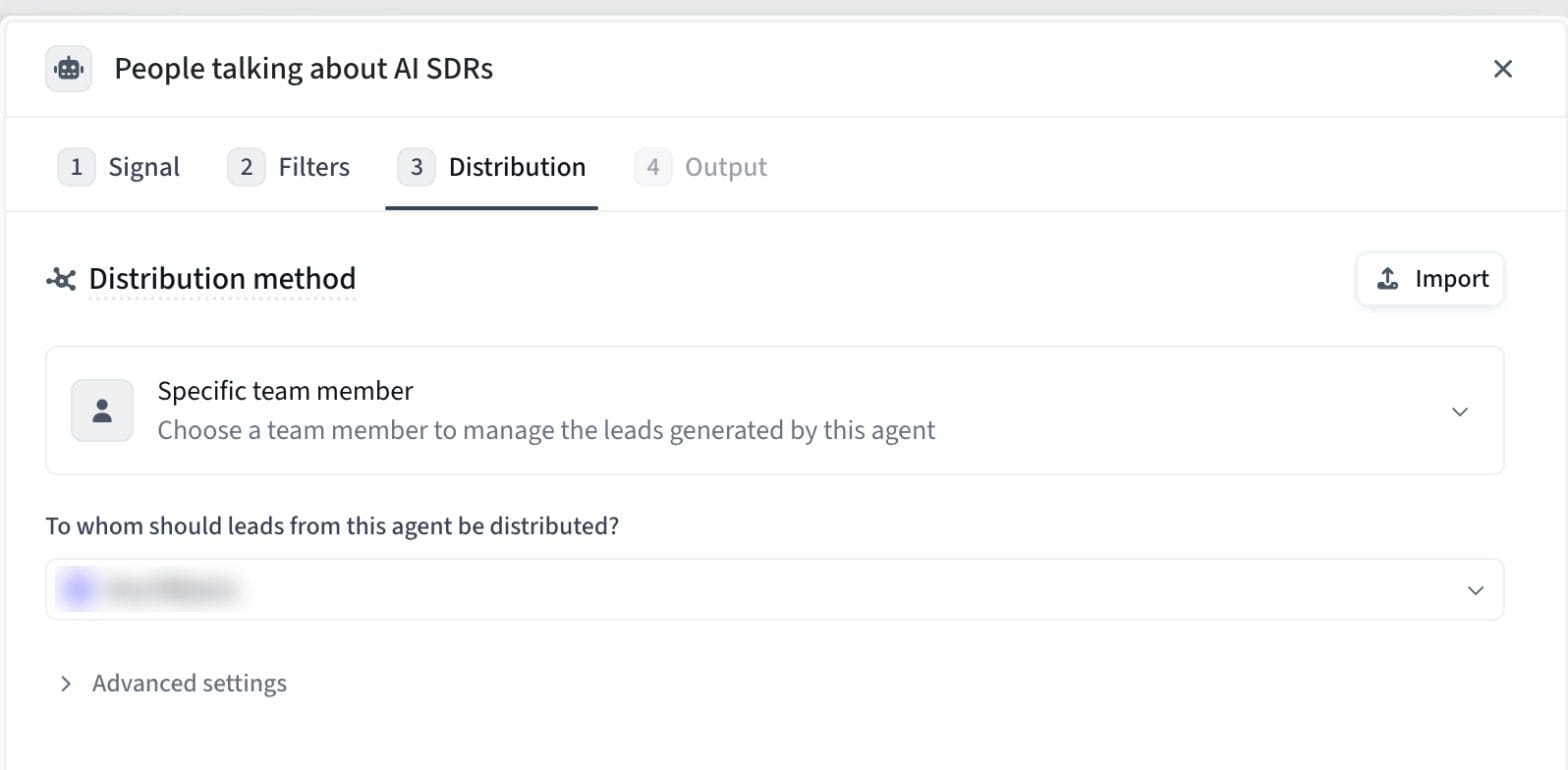
Step 3: Set Up Your Distribution Rules
And then Duo Copilot has to route that qualified prospect to the right seller. In the Distribution tab, you can choose to assign leads to a specific team member or distribute them evenly among your team using a round-robin method. This keeps territorial ownership clean and ensures timely follow up. [Image: duo-copilot-step3-distribution.jpg]
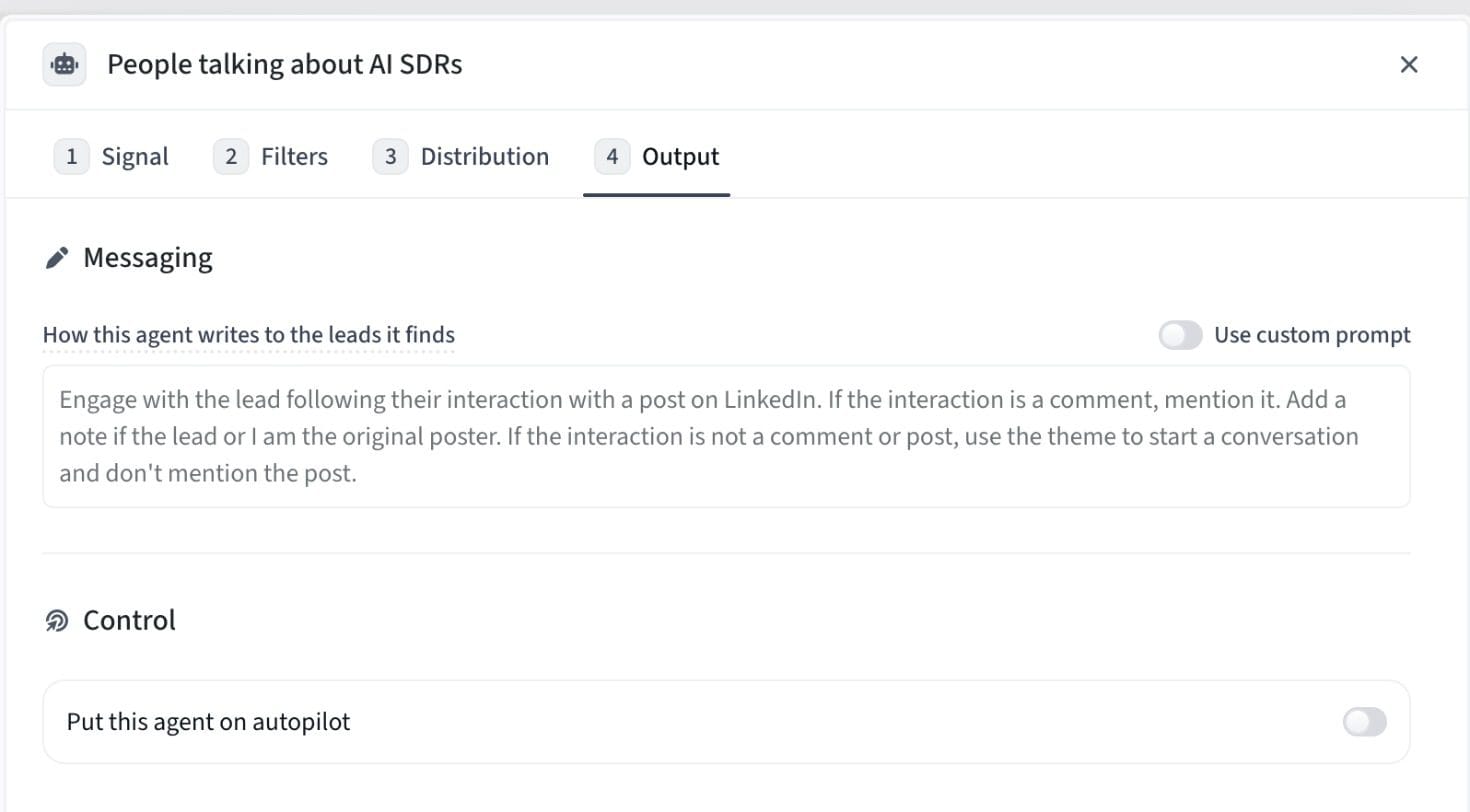
Step 4: Setup Messaging Instructions and Control
The Output tab controls the way the agent writes to the leads it finds. You can turn on a custom prompt or use structured instructions. In our scenario, if the prospect commented on a LinkedIn post, we ask the agent to refer to the comment, mention if we were the original poster, or just use the theme of outbound automation to start a natural conversation without forcing an uncomfortable reference to the post. Under Control at the bottom you will see the toggle to “Put this agent on autopilot”. This toggle when turned off will have the agent wait for your review before anything goes out. Reps still have total control.
The Daily Workflow: One Click Signal-to-Sequence
Once your agents are live, you can forget about writing daily prompts or triggering workflows manually. Duo Copilot refreshes your queue every 24 hours, bringing to the forefront exactly who you should be reaching out to.
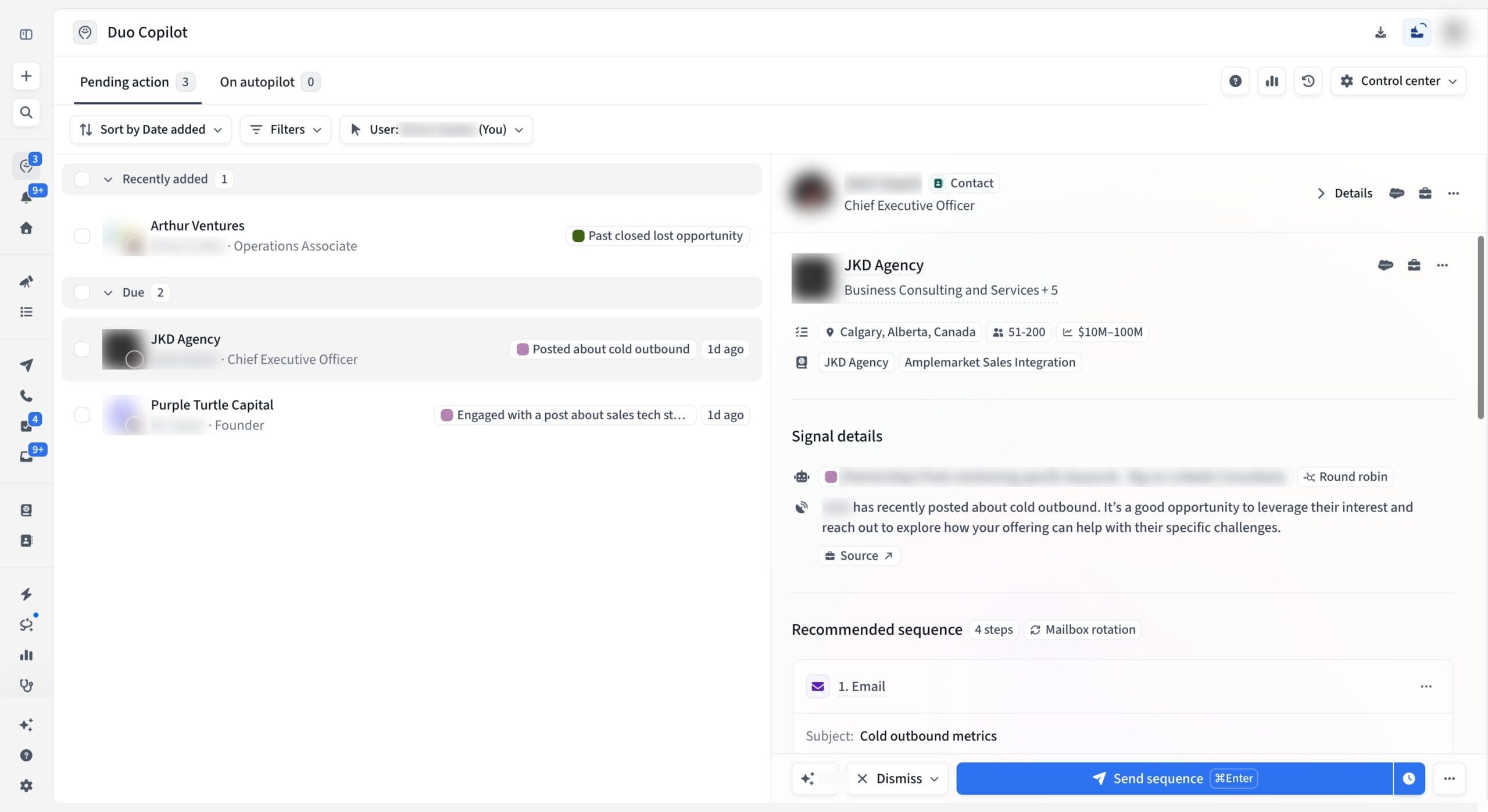
In the main Duo Copilot dashboard, leads are neatly organized in your “Pending action” tab. Here's a real example from the queue to show how the different agents feed into one unified view:
-
1An Operations Associate at Arthur Ventures flagged for a closed-lost opportunity before.
-
2[A Founder at Purple Turtle Capital] who interacted with a post about sales tech stacks a day ago.
-
3CEO at JKD Agency (a consulting company in Calgary with 51-200 employees) Who posted about cold outbound 1 day ago.
When you click on JKD Agency’s CEO, the right panel provides you with the full context right away. You see company firmographics, CRM integration tags, the exact signal summary with a direct link to the source post and a recommended 4-step sequence with automatic mailbox rotation turned on.
Duo Copilot creates a personalized multichannel sequence which can consist of emails, LinkedIn connection requests, LinkedIn text or AI voice messages, and phone call scripts. It even looks at your past conversations to mimic how you write. The rep just needs to review the drafted email (subject line Cold outbound metrics), make any quick edits and then click Send sequence or Dismiss. When you approve or dismiss a lead, Duo Copilot learns from the action you took to make tomorrow’s leads even sharper.
Integration and Deliverability of Technical Stack
Outside of Duo Copilot, the platform connects all the pieces of outbound execution:
Deliverability Optimization
Look for the Mailbox rotation tag inside the sequence builder. Amplemarket sends emails to the right mailboxes and flags delivery issues early so scaling your outreach doesn’t get you into spam.
Unified Execution
Conversations come into Duo Inbox and reps cold calling can use the Parallel Dialer to minimize waiting time between dials.
Custom AI & Developer Workflows
I build CLI based AI agents using tools like OpenRouter and Antigravity. So the Custom API webhook trigger and the Amplemarket MCP (Model Context Protocol) stands out to me. You can pipe external intent signals directly into Duo Copilot or let your local AI assistants interact with Amplemarket data without leaving your existing workflow.
Where it works and where it doesn't
Where it fits
Revenue and GTM teams looking for verified B2B data (weekly refresh), intent signal tracking, and multichannel execution all in one place. It’s built for teams who want to use AI to do the heavy lifting of research, but keep humans in charge.
Where it doesn't work
Companies wanting a black-box tool to blast out thousands of unverified contacts with no oversight from humans Amplemarket is built to empower reps, not replace them.
FAQ (Frequently Asked Questions)
Tired of scrolling through tabs and want to let AI agents build your pipeline? Try it for yourself on your own GTM workflows below.
Try Amplemarket on Your Workflows →